

SITE ENGINEER
On-site data logging for civil engineers
Digital assistant for engineers with material checks, photos and on-site notes.
Platforms
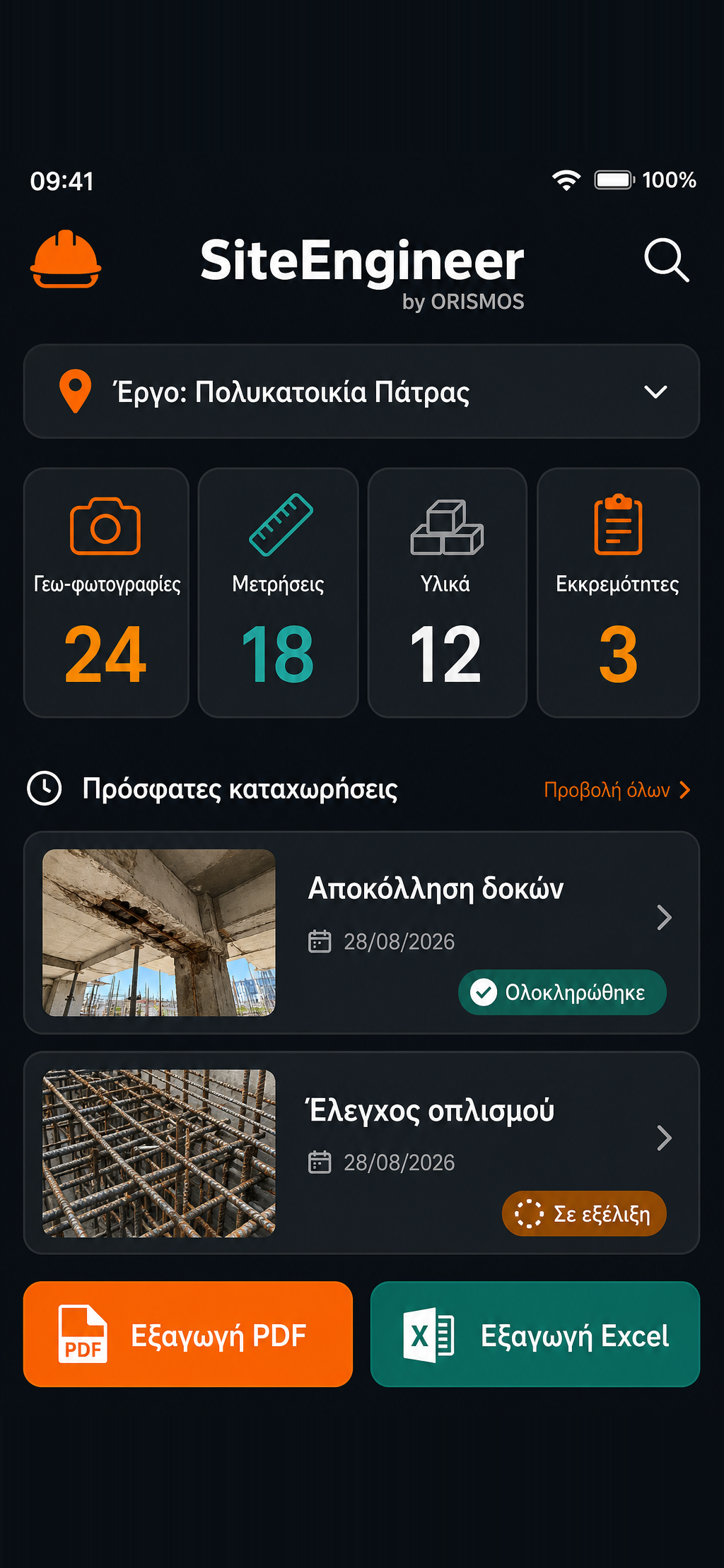
What it does
- On-site measurement logging
- Geotagged site photos
- Notes and material checklists
- Office sync
- PDF/Excel report export
About the app
Site Engineer — Digital management of on-site work
Site Engineer is a specialised application built for civil engineers, technical companies and teams managing projects and tasks in the field.
Its goal is to gather in a single digital environment the information produced every day on site, and to make communication and coordination between the site and the office immediate.
Recording data directly from the site
The engineer or project manager can record information at the moment they are in the field, without taking notes and later transferring them into different files or systems.
Through the app the following can be organised per project: • measurements and field data • technical observations • notes • photographic material • tasks and checklists • progress data • pending items and remarks
Photographic documentation
Photos can be linked directly to the relevant project and to the specific record they belong to.
With geolocation/geotagging, photographic documentation gains extra information about exactly where the record was taken.
This avoids the usual situation where photos remain scattered across phones, folders or messaging apps and have to be matched to the project manually later on.
Checklists & task tracking
Organised checklists allow tasks, inspections, materials and pending items to be recorded.
The team gets a clearer picture of what is complete, what is in progress and what still needs action.
This way, site information is turned into organised, usable project information.
Connecting the site and the office
One of the key challenges in technical project management is that a significant part of the information is created in the field, while decisions, monitoring and reporting usually happen at the office.
Site Engineer acts as a common point of reference between the two.
Information recorded on site becomes available to the whole team without the constant exchange of photos, notes, Excel files and emails.
Reporting & Exports
The collected data can be organised and used to generate reports.
Export to formats such as PDF and Excel allows the data to be used further for: • internal monitoring • updating partners or clients • documenting work • archiving • data processing and analysis
Access from the field
The application is designed with a focus on being used where it is really needed: on site.
Mobile access lets the engineer record data, photos and observations at the moment of the inspection, instead of having to remember and transfer the information later.
At the same time, web access allows the same data to be managed and used in an organised way from the office.
The core idea behind Site Engineer
Site Engineer essentially replaces a fragmented daily process:
Notes + Photos + Excel + Email + scattered files
with one unified flow:
Site → Recording → Documentation → Organisation → Tracking → Reporting
Its value lies in the fact that information is captured where it is created, organised per project and remains available for future search and use.
The goal
The goal of Site Engineer is to make the engineer's daily work more organised and practical, reducing manual data transfer and the fragmentation of information.
With one central view per project, the team can better know: • what was done • where it was done • when it was done • what was recorded • what remains to be done
Put simply, Site Engineer moves the construction site into an organised digital environment and connects field work with office management.
Capabilities that can match your needs
- On-site measurement logging
- Geotagged site photos
- Notes and material checklists
- Office sync
- PDF/Excel report export
Would an app like this help you?
Tell us your needs and we'll reply with the app capabilities that fit your workflow.